Two taps a sale.
Tap an item, then Cash or QR. That's the whole sale. Big catalog? Search, or type “2 matcha gcash” the way you would in Notes.
- Works with no signal
- No item setup before your first sale
- Undo instead of “Are you sure?”
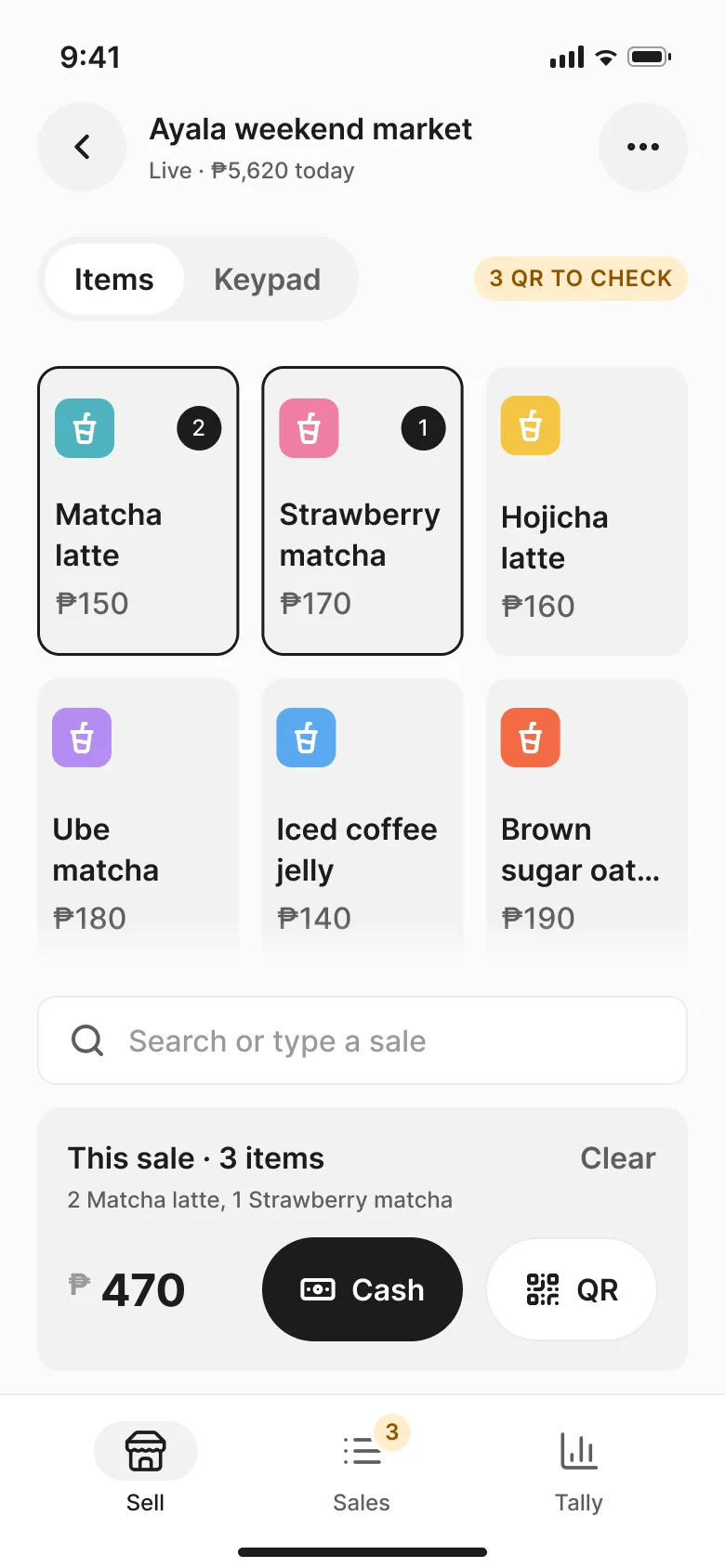

Every sale, counted. Puwesto is a calm sales log for bazaar and pop-up booths. Log a sale in two taps, keep cash and QR apart, and know at closing what you made after the booth fee.


Coming soon for Android and iPhone. Free to use, with no ads and no sign-up.
Built for a rush at the booth: one hand, bright mall light, a customer waiting.
Tap an item, then Cash or QR. That's the whole sale. Big catalog? Search, or type “2 matcha gcash” the way you would in Notes.
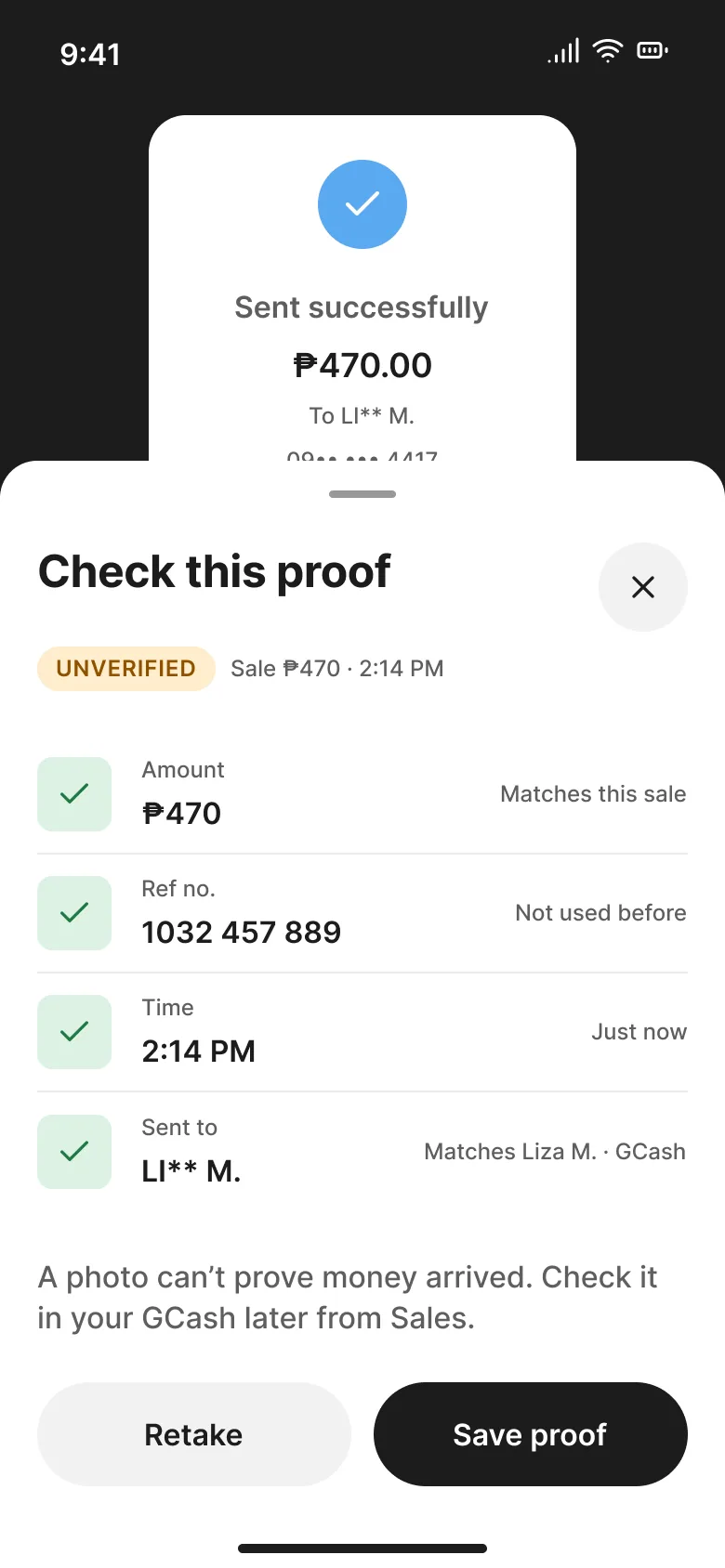
A QR sale is saved as unverified until you check it. Snap the customer's success screen if you like: Puwesto compares the amount and ref no., and spots a ref no. it has seen before.
A photo can't prove money arrived. You confirm each payment in your own GCash or Maya, and on Android Puwesto can match your own “You received” alerts to sales.
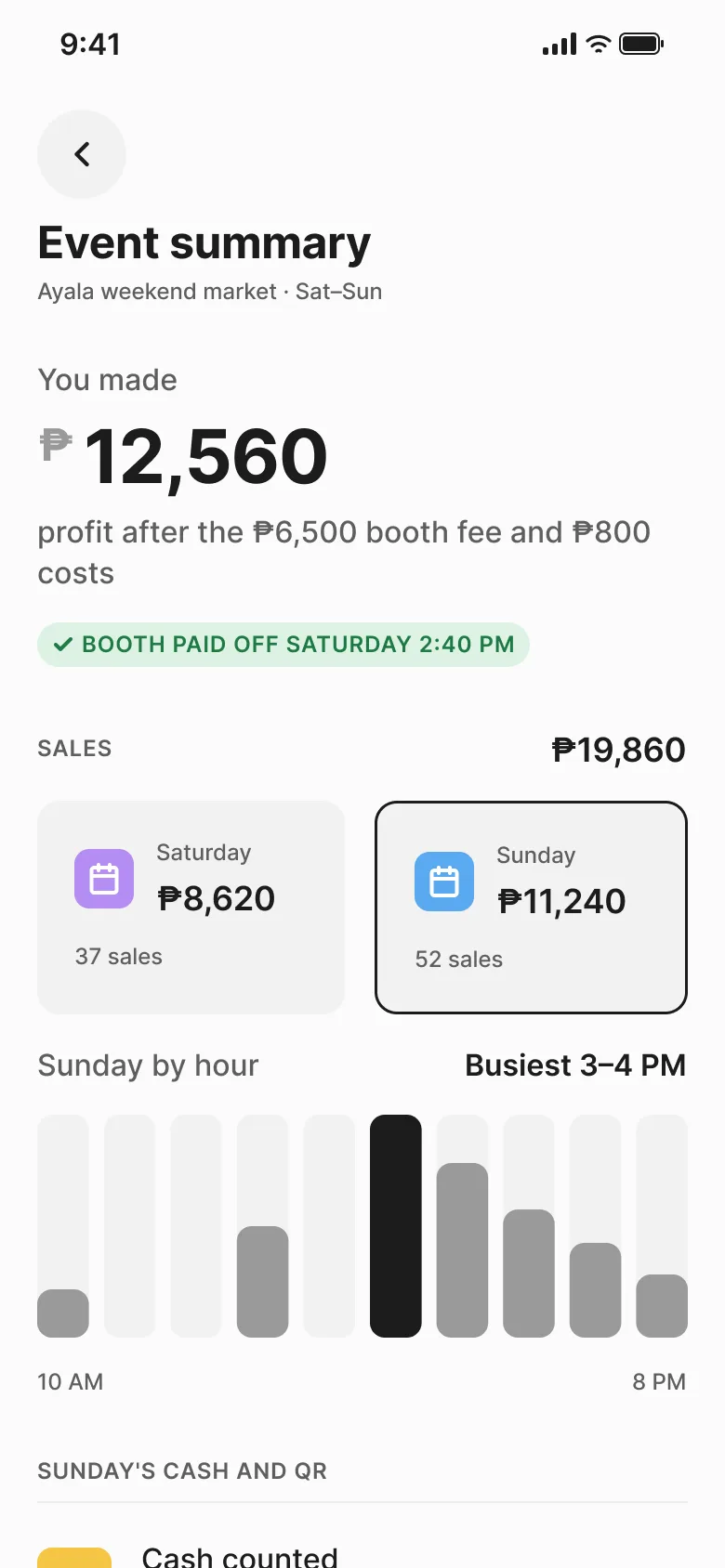
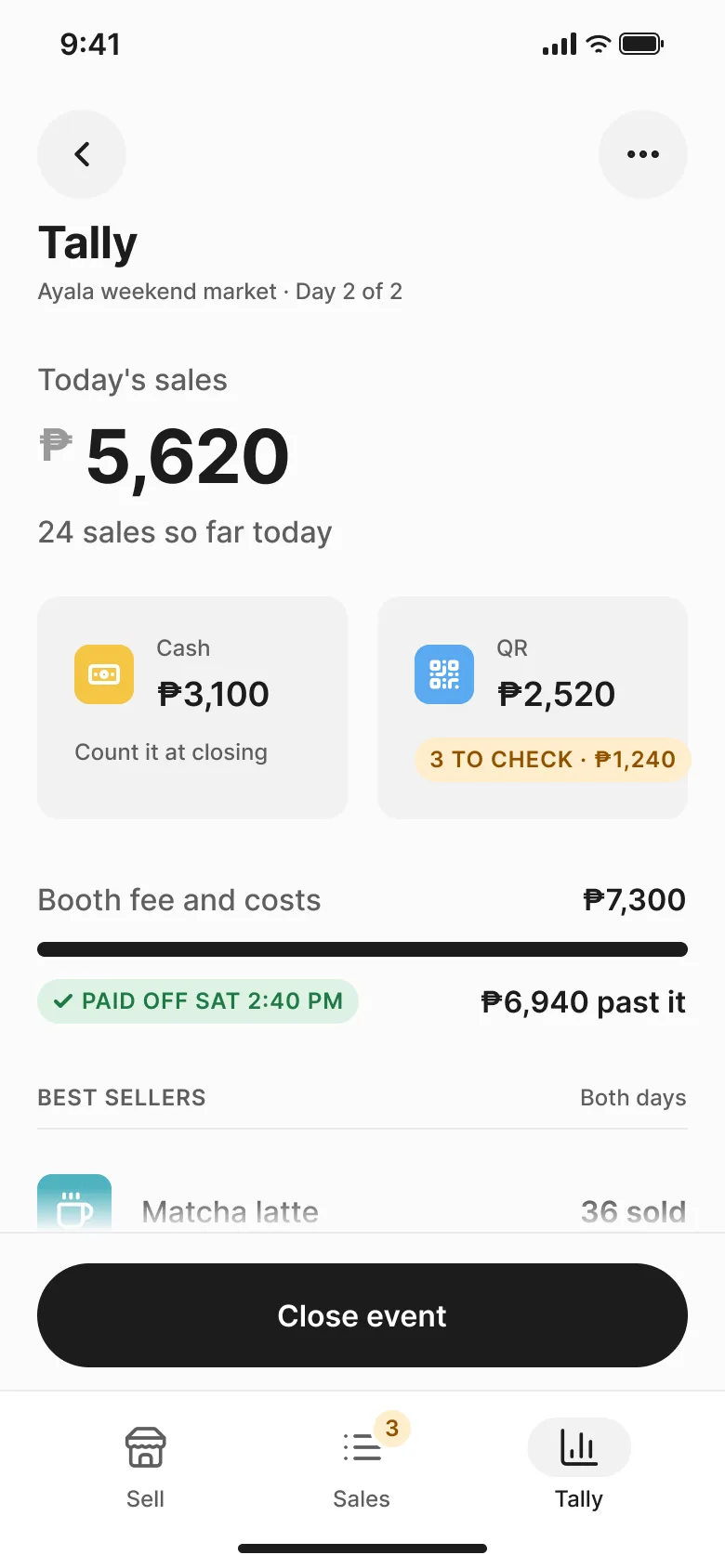
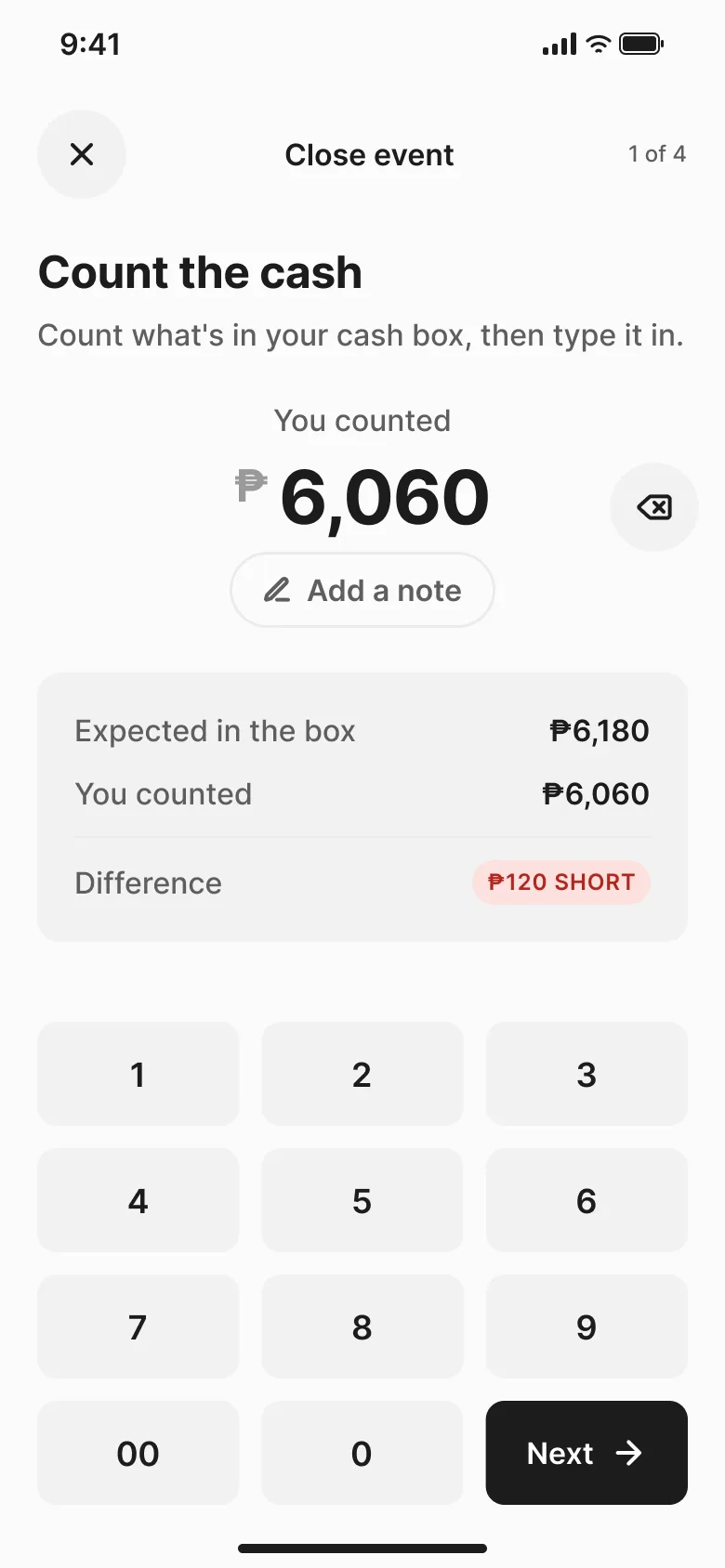
Add the booth fee and costs once. The Tally keeps cash and QR apart, and shows the moment your sales covered the booth: Paid off Sat 2:40 PM, then how far past it you are.
Not there yet? It shows the distance instead: ₱1,180 to break even.
Paste your old notes and Puwesto turns them into an event, so last month's bazaar counts too. Lines it can't read are shown to you, never guessed.
Sat Sep 19
3 ube 540 gcash
1 strawberry matcha 170 cash
2 ube 360 gcash
1 ube 180 gcash
-50 change sa 500
…
Ayala holiday preview
Ayala Center · Sep 19–20
₱9,120
Trust comes from what we leave out. Free to use, with no ads.
It never touches your money. Customers pay you directly, in cash or to your own GCash or Maya QR. Puwesto only records the sale.
It never issues receipts. It's a sales log, not a POS. Nothing it makes is meant for your customer.
Your sales stay on your phone. No sign-up and no account. It works offline at the booth, and backups go only where you send them.
It isn't GCash or Maya. It works alongside your wallet and your soundbox, and isn’t affiliated with either.
Later, vendors who choose to can share their event totals with you, so you can plan the next season with real numbers. We're looking for one Cebu organizer to shape it with.
Something else? Email support@puwesto.ph.
No. It's a sales log. It never issues receipts or invoices and never takes payments. You use it to keep count of your own sales.
No. Customers pay you the way they already do: cash, or your own GCash or Maya QR. Puwesto never touches the money.
It helps you check. It saves every QR sale as unverified, reads the proof photo for the amount and ref no., and warns about a ref no. it has seen before. Only your own wallet can confirm money arrived, so you mark a sale verified after you see it there. On Android, you can let Puwesto read your own GCash and Maya “You received” alerts and match them to sales.
On your phone. There's no account and no Puwesto server holding your sales. You can save a backup file and send it wherever you like, such as your Google Drive.
No. Your first sale takes about 15 seconds. Items appear as you sell, and you can paste a price list later if your catalog is big.
Yes. Everything at the booth works offline.
Logging sales is free, with no ads, and it stays free. Paid extras, like backup across phones, may come later. We'll say so clearly before anything costs money.
Both are coming. Matching wallet alerts works on Android only; on iPhone you check your wallet's received total at closing instead.
No. Puwesto isn't affiliated with GCash or Maya. It works alongside them.
Puwesto is coming to Google Play and the App Store.
